MT-VIKI VGA+AUDIO to HDMI Adapter 1920*1080 60Hz HD Converter For HDTV
PC LaptopUSD $10.59
Condition : New
Free Shipping
{{variant_type_name}} :

Notify me when the price drops
We will email you if we find a lower price on this product!
MT-VIKI Adapter Converter VGA+AUDIO to HDMI Adapter Type-C to HDMI Adapter Type-C to HDMI Adapter HDMI to VGA Adapter DP to HDMI Adapter DP to HDMI Adapter Model Number MT-H02 MT-CTH03 MT-CTH04 MT-M02 MT-CPH01 MT-CPH02 Input Port VGA+AUDIO TYPE-C TYPE-C HDMI DP DP Output Port HDMI HDMI HDMI VGA HDMI HDMI Resolution Ratio 1080P@60Hz 4K@60Hz 8K@60hz 1080P@60Hz 4K@60Hz 8K@60Hz Mode Extend Mode,Mirro Mode Extend Mode,Mirro Mode Extend Mode,Mirro Mode Extend Mode,Mirro Mode Extend Mode,Mirro Mode Extend Mode,Mirro Mode MT-VIKI VGA to HDMI Adapter, MT-H02
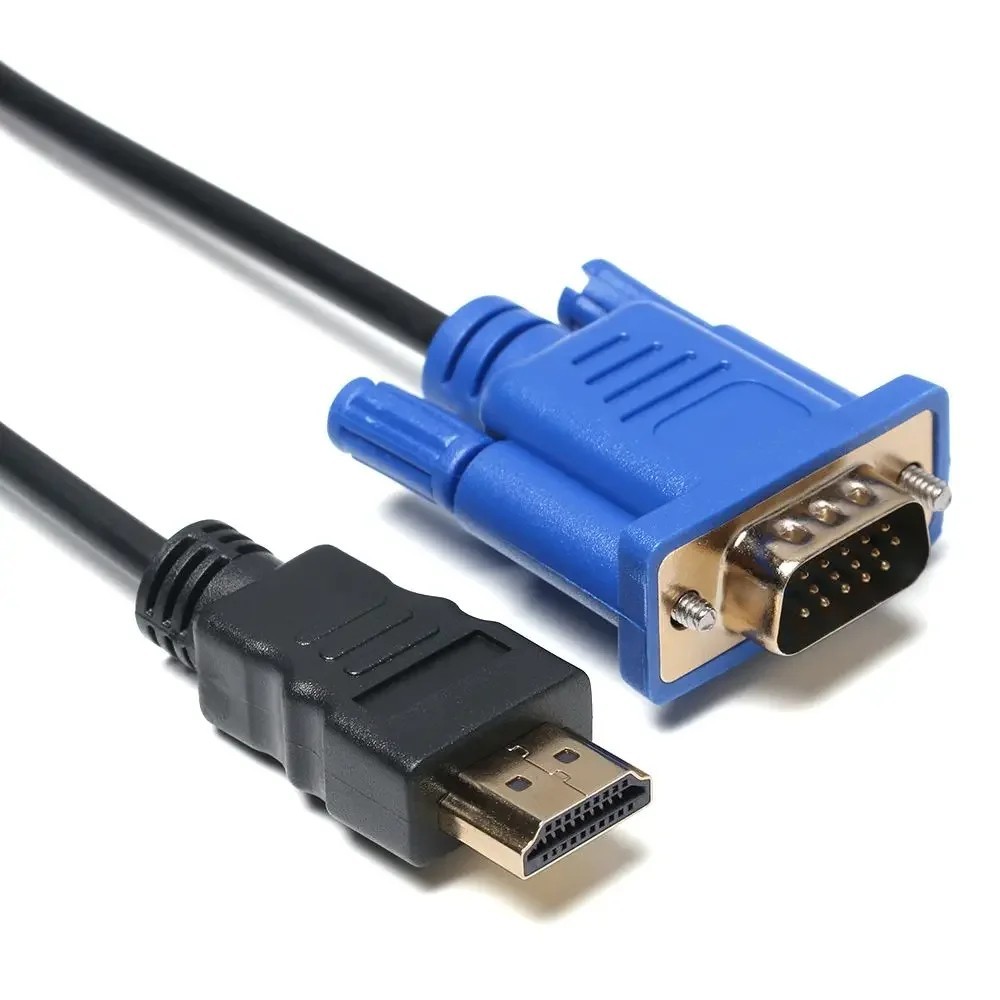
Simply connect to your VGA source device and HDMI screen, then you'll be able to view your VGA signal on the HDMI screen.
Specifications:
- Input: VGA connector for video ,3.5mm mini jack for audio ,USB power supply.
- Output: HDMI jack.
- Easy to use: Just plug and play, no software installation.
- Dual screen display function: Extension Mode,Mirror Mode.
- Improved Chip: Integrated advanced chip provides a stable and reliable signal transmission.
- Wide Compatibility with various devices such as PCs, laptops, projectors and HDTVs.
- Perfect Core: Built-in cores for multiple protection of the adapter.
- Integrated Mini-jack & USB Power Supply:3.5mm mini jack for audio,USB power supply.
- High Quality Material: ABS cable is durable and reliable.
How to USE?
- Insert the VGA into the computer or other devices with VGA output.
- Connect the USB cable to the appropriate interface of the computer to get the additional power supply.
- Connect the 3.5mm audio cable to the computer to get a stereo audio signal.
- Insert the HDMI jack into the monitor with HDMI input.
NOTE:
- Not bidirectional,Only VGA to HDMI transmission.
- The USB is used to maintain the additional power supply. It must be connected to a 5V1A computer USB port or a 5V1A power supply.
Package:
1 x VGA to HDMI Adapter
About Us: MT-VIKI, is a professional A.V transmission supplier and manufacturer from 2003, like HD switcher, splitters, KVM switch, matrix switcher, video wall controller, multi-viewer, hdmi transmitter and receiver, and other accessories.
Price type
IN STOCK
OUT STOCK






 .
.
